Saturday, 2 April 2016

Context & Rationale Digital Natives & 21st Century Learners

Growth Mindset Needed, Not Digital Natives
According to Prensky, digital natives are “native speakers of digital language”, while a digital immigrant is defined as those who didn’t grow up with technology and had to learn/adapt along the way (2001a). But are these terms still relevant with the constantly changing and evolving uses of technology in the classroom? Technology has become an expected area of understanding for teachers as part of the overall best practice, similar to good classroom management being expected in all classes. While I would be more considered a digital native by Prensky's terms, I know people from all ages who are very competent using technology.


I believe the idea of digital natives and digital immigrants is very outdated in my international context. If we consider our students to be digital immigrants now, what will our students be in 50 or 100 years? Are these terms even necessary?  Our school is a 1 to 1 laptop school for both teachers and students. It is essential that all students and teachers embrace the use of technology when appropriate for teaching and learning.  The idea of digital natives and digital immigrants is erased and replaced with terms such as growth mindset and fixed mindset becoming more relevant for integrating technology. In a previous post, I focused on the importance of expanding our knowledge by problem solving, resiliency and pushing boundaries of personal understanding with an emphasis on growth mindset and not labelling individuals as digital natives or immigrants (MacLean, 2015). For further reading of my ideas of the importance of a growth mindset, please read here.


We should be encouraging our teachers and students to be open-minded and willing to learn regardless of the medium. We should be encouraging our students to be risk-takers, to make mistakes and to learn from them. Having a growth mindset, allows us to be open to new challenges (which could be technology for some).


Our current school policies do not lend themselves to the terms digital natives or digital immigrants. Rather, again, there is an expectation of teachers using technology only when appropriate for best practice and students using technology as a resource only when it enhances their learning.


21st Century Learner Or Just a Learner
As a teacher, it is my role to facilitate learning for students by helping them develop skills and conceptual understandings that can be transdisciplinary and transferred into any avenue for their future. Students need to learn to be good communicators, creative and critical thinkers, collaborative, with an ability to be self-managed, engaged and passionate about learning. These skills can be developed through a multitude of learning experiences in both formal and informal settings. In addition, being reflective needs to be combined into this learning process as well.


Again, I truly believe that the label of a 21st century learner is now irrelevant. To me, it is just being a learner. We want our students to develop skills to be lifelong learners, now and always. It is not something that is restricted to only the 21st century and many educators understood the importance of teaching transdisciplinary skills before the 21st century and will continue to after the 21st century.


From an ICT integration standpoint, I use the 6 ICT in PYP skills as a way to fuse effective technology implementation into the curriculum where necessary. These include: creating, collaborating, organising, communicating, investigating and developing a digital citizen (The role of ICT in PYP, 2011). In order to be effective using any technology tool, students need to develop  the finer skills associated with these to be successful. There are so many collaborative tools that exist, but it is more important for students to understand how to use group roles, taking turns, respectfully disagreeing and having healthy debates than how to use Padlet or Google Docs. Students need to learn how to build on others ideas while giving credit and not feel that someone is stealing their idea. These skills can be taken out of the technology world and applied into other real world experiences, which makes the learning meaningful and long lasting.


Through an inquiry-based, constructivist teaching model, students can develop their curiosity for learning and learn the skills to find the answers to what they want to learn. When passion and enthusiasm is involved as a learner, the learning really is limitless.


References


The role of ICT in PYP. (2011). International Baccalaureate. UK: IB.

MacLean, E. (2015, November 20). Digital Immigrant or Native? Growth Mindset More Important [Blog]. Retrieved from http://emilymacleanmed.blogspot.sg/2015/11/digital-immigrant-or-native-growth.html


Prensky, M. (2001a). Digital Natives, Digital immigrants. On the Horizon, 9(5).

Sunday, 20 March 2016

Assumptions & Debates in ICT

As I was reading Wellington’s article (2005), I couldn’t help but think that these are the questions that we constantly asking in our office when it comes to using technology in the classroom.
From a vocational standpoint, Wellington (2005) suggests that we need to be teaching students transferable skills for the workplace (p.29). This is something I really try to get across to teachers. Teaching them a specific tool that will be outdated within a few months or years is not helpful for our students, rather they need to understand the process of planning, implementing and revising. For example, students creating movies need to understand building scripts and storyboards, different film shots, etc. From there whether it is iMovie or another video editing software it doesn’t matter because the skills are at the core. There are a ton of tools to foster collaboration but it is more important for students to understand how to collaborate rather than what tool to collaborate with. These are the types of skills that can be transferred to any discipline or workplace not just restricted to a school setting.
I am constantly asking teachers if the use of technology is adding value to their learning. If they simple are replacing one tool for a technology tool, it isn’t transforming the learning. We need to push the integration further to make it have a purpose to change how students experience learning.
I am currently looking at how we can measure the impact of iPads and technology in general in our early years. Does it make a difference? Is it necessary? Just because we have technology doesn’t mean that we need to use it if it doesn’t enhance our pedagogy. Teachers need to understand how to choose the right context for technology integration in order for it to really add value to the learning (Wellington, 2005, p. 32).
From a societal point of view (Wellington, 2005, p. 26), it is interesting to look at how formal learning of ICT impacts ICT at home and vice versa. Are teachers really using the tools kids want to use? Does it make sense to use those tools? What about just choosing aspects of those tools? Our students are well versed in technology but it doesn’t eliminate the need to still facilitate learning as home and school ICT use often are quite different.
A number of the faulty assumptions about ICT are ones that still have relevance in my own school setting. Teachers do not change their teaching just because they have technology (Bain & Weston, 2012, 7). It is difficult for teachers to unlearn and relearn how to teach using technology in meaningful ways. Similarly, as students have more technology, it doesn’t meant they will be better at technology or achieve higher results (Bain & Weston, 2012, 8). Rather, students with technology just have a greater variety of tools to show their learning and understanding. Sometimes technology can help them share their voice more effectively, this showing the learning in more apparent ways.
References
Bain, A. & Weston, M.E. (2012). The Learning Edge: What Technology Can Do to Educate All Children.  New York: Teacher's College Press.

Wellington, J. (2005). Has ICT come of age? Recurring debates on the role of ICT in education, 1982-2004. Research In Science & Technological Education,23(1), 25-39.

Impact of ICT in Education

Cuban, Kirkpatrick & Peck (2001) suggested that the majority of teachers in US are not computer users. If teachers aren’t using the tools, then the impact on teaching and learning is not present. In my international school setting, this is not the case at all. All of our teachers are provided a laptop when they begin with our school and receive training on them. There is an expectation that attendance, grading, reports, planning are all on our LMS systems. Thus, technology use is not an option rather a mandate as part of being an employee at the school. In terms of teaching and learning, much of this is also done digitally, however, not mandated in the same way. That being said, with digital resources for classes, teaching teams can share the workload easily by sharing resources with a click of a button. Teachers can view student work using tools such as Teacher Dashboard easily to support them with their work without having to take bags of workbooks home to review.

Cuban, Kirkpatrick & Peck (2001) suggested we need to know more than how often students are turning on computers but rather what students are doing with them while they are on. If it is simple drill and kill practice all of the time, the impact on learning will be minimal as they are not developing skills that are transferable in other scenarios.

As I was reading about Cuban, Kirkpatrick & Peck (2001) study, I felt our school had much more access to technology than the schools in the study who had computer labs. With a 1-to-1 programme at our school, each student has access to connectivity and software at all times whether at home or school, thus, increasing the use of computers. Teachers do not have to worry about booking the lab or if the internet connection will be working. This allows for technology to be used at a moment’s notice in class or left to the side of the table when not needed. The 1-to-1 programme allows for technology to just be another tool for students to use if deemed necessary.

Somekh (2004) outlines 4 examples of institutional resistance to change in the article. ICT is often seen as a separate subject rather than being integrated into every subject. Teachers often use a one-size fits all, linear model where they start from scratch and teach all the skills rather than differentiating for the needs of the students who are well advanced. Students with access to technology is compounded by the kinds of ICT use. Finally schools restrict access to a number of websites out of fear of unknown and need to be extra cautious in schools. What we have learnt is, that in order for technology to be effective, it needs to become a part of the human activity (p. 177).

I think there will always be resistance to new technologies entering into the educational realm. Geoffrey Moore’s book ‘Crossing the Chasm’ (2001) outlines that there is always going to be a bell curve when it comes to technology starting from technology enthusiasts who are willing to try anything as soon as it is available to the skeptics who are the last to give in to technology initiatives if ever. I actually think this is a good thing. It is good to have a variety of perspectives and varying adopting times. It gives the visionaries time to try it out and imagine where it can go which convinces the pragmatists and conservatives to make the transition once there is some proof it will work. When I run trials with new technology tools, this is exactly how i approach it. I access those most willing to try, see what the results are, reflect and analyse if this is the best move forward as a school and use this data to help move the school forward.
Image from: http://photos3.meetupstatic.com/photos/event/7/b/1/8/600_354151512.jpeg

In my school, technology is not just the responsibility of one teacher. Rather it is the expectation that all teachers teach ICT within their classrooms. As the Technology Coach, I support teachers in doing this but at the end of the day, we all need to weave ICT into our lessons when appropriate. This takes the ownership of ICT off just a single specialist, just like we are all language teachers to an extent. Integration of subjects has become the norm not that anomaly. As a school who uses a transdisciplinary approach to learning through the IB framework, students have all subjects being intertwined.

As I am reading the articles by Somekh (2004), I wonder what his findings would be today 12 years later. Cuban, L., Kirkpatrick, H., & Peck, C. (2001)’s article is now about 15 years after it was written. What are the more recent studies arguing about the impact or lack thereof with technology? Is there really as much discrepancy between home and school? When my students were doing something at home (ie 3D printing), we found a way to bring it into the classroom. I let the students drive their own learning and incorporated the tools they wanted to use. I use Edmodo to mimic Facebook for privacy, age restrictions and safety but still allowing them the social aspect of media. With a student who struggled with creating content and developing his e-Portfolio, I used a mobile device with Blogger to mimic what he was doing with Instagram on his own time. Are these the same tools they are using at home - no. But they are replicating their uses at home in an appropriate and safe way for educational purposes. Because I was making the effort for them, they were also making the effort and I saw improved work quality and quantity. Technology can have a positive impact on learning, community and teaching if used in authentic, meaningful and innovative ways.


References

Cuban, L., Kirkpatrick, H., & Peck, C. (2001). High access and low use of technologies in high school classrooms: Explaining an apparent paradox.American Educational Research Journal, 38(4), 813–834.

Moore, G. A. (1991). Crossing the chasm: Marketing and selling technology products to mainstream customers. New York, N.Y.: HarperBusiness.

Somekh, B. (2004). Taking the sociological imagination to school: an analysis of the (lack of) impact of information and communication technologies on education systems. Technology, pedagogy and education, 13(2), 163-179.

Assessment Tools Using Technology


Assessment is an important part of the teaching and learning process. Assessment can be done for learning, as learning or of learning. Assessment drives the planning and informs future teaching and learning. Assessment shouldn't fall solely on the teacher, rather self and peer assessment also play an important part in the reflection process to help students grow. There are a number of technology tools to support assessment.

Google Docs

Google docs can be used as collaborative document and has some great features for peer and teacher assessment. I would use this mostly for editing writing assignments or projects. The comment features allows a peer/teacher to leave feedback directly where they want it throughout the document. The suggesting feature allows the teacher or peer to go through and make suggestions such as where to insert a full stop. Students can then review the suggestions and choose to accept them (adding them into the document) or reject them (leaving the suggestions out of the document). Google docs is web-based.

Available at: https://www.google.com.sg/docs/about/ 


GradeBook Pro 
GradeBook Pro is an app for iOS devices. It allows teachers to enter grades for expectations as well as ancedotal observations in a quick and easy manner. With the mobility of the device, teachers can move around the classroom easily to assess their students in a matter of minutes. As a teacher, you can also quickly see who you haven't assessed to make sure you are conferencing with all your students. Reports can be generated easily for specific students or classes.

Available at: https://itunes.apple.com/sg/app/gradebook-pro-grade-attendance/id393777614?mt=8

Image result for gradebookpro
Image from: itunes.apple.com

Kahoot
Kahoot is a great formative assessment tool that is used as a game. Students need a device for this assessment. The teacher creates a multiple choice quiz and the students use a device to identify their answer. The teacher can see how students are understanding the concepts so far. This would be great as an warm up activity or exit ticket activity.


Available at: https://kahoot.it/#/

Saturday, 20 February 2016

ICT in the Curriculum

As the Education Technology Coach at my school, it is my role to support teachers and students in using technology in authentic and meaningful ways. Thus, for this course, I will focus on the transdisciplinary learning in a primary classroom using the International Baccalaureate programme. 

With the IB, there is no set curriculum, rather it is a framework of learning. Within our school, we have a scope and sequence for the various subjects that is integrated into the units of inquiry. Our school has no specific ICT curriculum. Rather, the units integrate technology where appropriate. 

From this perspective, the curriculum is often taught using technology for teaching and learning. My focus though, is teaching transferable skills using technology. For example, communication skills like viewing and presenting are taught through the use of technology. Students construct visuals using technology tools such as Google Drawing, Pixlr or Paper 53 that convey meaning to an audience. Students need to use design elements and principles as they create their visuals. Another example is having students choose the most appropriate technology tool to show their understanding and demonstrate their knowledge. Sometimes that might be a Google Document, other times it might be using iMovie to create a video or Piktochart to demonstrate their statistics in a visual. 

With the IB, there are 6 overarching elements of ICT in the Primary Years Programme: Creating, Collaborating, Organizing, Becoming Digital Citizens, Investigating and Communicating. Through these, students develop their skills to become digital learners using technology tools as one of many resources in their learning journey. 

Friday, 19 February 2016

Classroom Management & Technology

Classroom management focuses on creating a positive classroom culture where students can learn. A number of factors play into this such as discipline, building trust, routine, learning spaces, and transitions. Classroom management can make the different between a good teacher and a great teacher.

There are 5 elements of classroom management as outlined in Chai, Lim, & Pek (2005). that teachers need to consider when integrating technology into lessons.

1. Supporting activities for ICT tools
Learning technology tools to complete an activity adds another level of complexity to the learning for students even when technology is a great way to engage students. When I am teaching a class where I am introducing students to a new technology, I model how to go about doing it and then allow them the opportunity to try. This is aligned with Hudson & Notman's paper (2001) that suggests teachers should model a few technology skills to begin the lesson. Often I also give students time to explore a tool first and allow them to inquire into what the technology tool can do. Then we share what we've learnt and ask questions about things we still can not figure out.

2. Role of the teacher
Teachers are no longer the only source of information with ICT and a class of students. Thus, teachers become the facilitators of learning(Chan, Lim & Pek, 2005, p.410). I always make sure I can see the students' screens easily and walking around to monitor students' online behaviours. Visual timers and sound cues help to cut down on transition times in order to make the learning the focus and not the time getting ready for learning. I also ensure my materials are ready prior to the start of the lesson in order to have a lesson that can flow from one part to the next.

3. Role of student helpers
In my class, I have always had student helpers. The students in my class generate the jobs at the beginning of the year that we feel are needed to help the class run. Each week I would move the helping hands so that everyone had each job at some point in the year to make it fair. The students take their roles very seriously which helps students get on with the learning.

4. Technical support for teachers
The best technical support in my classroom always came from my students. Each week I had two students designated as the techsperts. There role was to help other students and myself solve any technical issues they were having. This meant the students would go to the techsperts before coming to me for support, creating a culture of collaboration and community of support.

If necessary, we could also call on the tech department for support.

5. Establishment of rules and procedures
It is important to set the tone of the classroom from the beginning of the year. Each year, the students create their essential agreements together and sign them stating they will abide by them. Having students come up with the essential agreements mean they have more ownership over the class and more responsibility to follow them.

For ICT, we have our acceptable use policy that we also use and abide by. Students read it with their parents and return it to school signed. Online safety is important and students understand that if they are unable to follow the agreement, they may not be able to use technology in their learning experiences. These agreements are reviewed and reflected on regularly throughout the year.

References 

Chai, C., Lim, C., & Pek, M. (2005). Classroom management issues in information and communication technology (ICT)-mediated learning environments: back to the basics. Journal of Educational Multimedia and Hypermedia, 14(4), 391-414.

Hudson, R. & Notman, H. (2001). Challenges of ICT resourced classes and helpful routines: Lessons from teaching practice. Computer Education, 99, p. 24-26. 

Thursday, 18 February 2016

TPACK Framework

TPACK framework is a well-known framework in the education technology realm that connects technological, pedagogical and content knowledge.

Image from: http://www.tpack.org/
In my role of an educational technology coach, I believe that I sit mostly on technological/ pedagogical knowledge. I believe this is where I fall because I understand how to teach and good teaching practice and have to regularly stay up to date in education technology. However, I do not always know all of the curriculum in depth across the primary school. My role is to help teachers connect the content knowledge or their pedagogical content knowledge to the technological knowledge.

I believe that expanding to tech with tech-PACK helps to emphasize the technology knowledge needed to integrate technology as mentioned by Roblyer & Doering (2014, p. 53). However, it is important to remember that as a teacher leaving out the digital technology is okay when it doesn't make sense to use it. Thus, an important role of a teacher is to make conscious decision of when to include technology and when to just stick to content and pedagogy knowledge.

To do this, I plan with teachers on a given unit they are working on and provide suggestions for technology integration. From there, I may upskill the teachers in small groups or co-teach the lesson with my focus of technology and pedagogical knowledge . This is what Koehler & Mishra (2009) would describe as “An understanding of how teaching and learning can change when particular technologies are used in particular ways. This includes knowing the pedagogical affordances and constraints of a range of technological tools as they relate to disciplinarily and developmentally appropriate pedagogical designs and strategies."

Whereas most homeroom teachers would be developing the technology from me, I develop my understanding of the content from them. From there, our knowledge is completed as TPACK. My role is really to help teachers to become confident in integrating technology and providing them the knowledge and support to add this third component of knowledge to their teaching. I believe that supporting teachers in having all three types of knowledge is important before implementing technology into the classroom as they plan a unit/lesson. Adding the technological knowledge where appropriate in their units/ lessons allows them to provide a 21st-century learning community for their students.

References 
Koehler, M. J., & Mishra, P. (2009). What is technological pedagogical content knowledge? Contemporary Issues in Technology and Teacher Education, 9(1), 60-70.

Mishra, P., & Koehler, M.J. (2008, March). Thinking creatively: Teachers as designers of technology, pedagogy and content (tpack). Keynote address at the 2008 Annual Meeting of the Society for Information Technology and Teacher Education (SITE), Las Vegas, NV, March 3-7.

Roblyer, M., & Doering, A. (2014). Integrating Educational Technology into Teaching: International Edition, 6th Edition, Pearson.

Wednesday, 17 February 2016

A Few Online Resources

Piktochart

Piktochart is a great way to create digital infographics. Students can use these to represent primary or secondary data that they find. This can link to mathematics and data handling as a way to show the results of surveys.

Available at: http://piktochart.com/

Padlet 

Padlet is a digital cork board where post-its of ideas, videos or images can be posted. In a class setting, this is a great place to brainstorm ideas, generate questions, create a plan, or even share some of the learning that has been happening in the classroom. 

Available at: https://padlet.com/


Wordle 

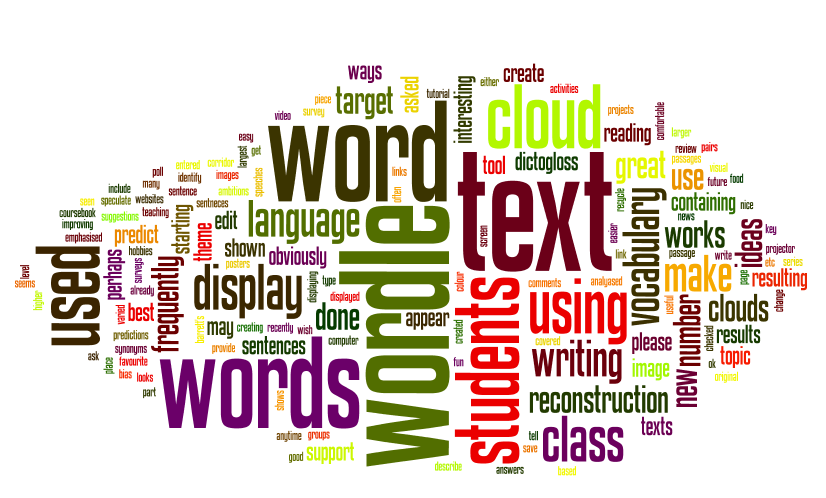
Wordle create a word cloud based on a list of words you provide the programme. This is a great way for students to generate a list of word related to a unit or topic. Students can also create a word cloud for a given piece of text to see what the most prominent words are in it. 

Available from: http://www.wordle.net/

QR Code Generator 

QR Code Generator generates a QR code for any digital resource. These QR codes can be used in class as part of a scavenger hunt, instructions for an activity or even on the back of a book to create an audio book. 


Tuesday, 16 February 2016

Collaborative Learning

Collaborative learning has many benefits in an educational setting such as developing social skills, deeper understanding of knowledge and soft skills (Chai & Tan, 2010). However, like with any learning approach, there are challenges for both teachers and students. For teachers to effectively facilitate collaborative learning, they must be willing to loosen the structure of the classroom. The teacher can not be in control of groupings, specific group roles and learning expectations, rather, it is important that the students in the group feel like they have ownership in the learning process as a group and agency (Sing, Wei-Ying, Hyo-Jeong, & Mun, 2011, p.8).  One way for both teachers and students to deal with this issue is for teachers to begin with cooperative learning and gradually work towards collaborative learning through scaffolding.

For students, a number of issues often present themselves during collaborative learning. Often students feel there is an unequal workload in the group with some people taking leadership roles and other students slacking. During the cooperative learning, teachers should model how to divide group tasks, model ideal group roles and how to reflect as a group throughout the process for next steps. Teachers can also support students in how to give critical feedback in a positive way. If these strategies are developed during cooperative learning, they will carry over into collaborative learning as strategies to be used by the students.

Often students get off task during collaborative learning tasks (Sing, Wei-Ying, Hyo-Jeong, & Mun, 2011, p. 7). As the teacher, I will go around monitoring the different group and have conversations about what they have done, where they are at, and where they are going. I don't provide too much feedback, rather, ask questions that make them think to guide them moving forward. Often groups will have a time keeper and someone to monitor on task behaviour which also helps the group move forward productively.

With collaborative learning, conflict is enviable to arise at some point. Perhaps there are different perspectives of where to go next, someone isn't pulling their weight or things have been forgotten at home and therefore productivity is at a standstill. These are excellent opportunities for students to develop their problem solving skills. For me, I always try to get the students to talk through their problems first. We spend a lot of time near the beginning of the year stressing how to express how you are feeling with ' I statements' instead of pointing blame. If students still struggle after a period of time, I support them by mediating the situation but mostly letting them talk. It is important that the students work through the situation together so that they feel they have autonomy in the resolution process.

It is important for the teacher to facilitate a positive collaborative community from the beginning of the year and cultivate this type of culture. From there, teachers can facilitate cooperative learning and through gradual release of responsibility and scaffolding, shift the ownership of learning to the students in collaborative learning.


References
Chai, C. S., and Tan S. C. (2009). Professional Development of Teachers for Computer‐Supported Collaborative Learning (CSCL) through Knowledge Building. Teacher College Records, 111(5), 1296‐1327.

Sing, C.C., Wei-Ying, L., Hyo-Jeong, S. & Mun C. H. (2011). Advancing collaborative learning with ICT: conception, cases  and design. Ministry of Education, Singapore. Retrieved from http://ictconnection.moe.edu.sg/ictconnection/slot/u200/mp3/monographs/advancing%20collaborative%20learning%20with%20ict.pdf   

Thursday, 4 February 2016

Inspiration From All Directions

There are days when I struggle in my job feeling like I'm not being innovative or creative. There are times when I know there is paperwork to be done but I would rather be doing other things and procrastinate. But then there are days where inspiration hits you out of the blue, rerouting your day with time passing faster than you realise.

Most of the time I get my inspiration from our students when they say to me "Can we do_____?" I always agree with whatever it is if they have a good explanation and a plan of how to do it. Then we somehow make it work no matter how big or small it is because when students are invested in a project, they show higher levels of engagement and often create better quality products.

I also get inspiration from things people say. Sometimes it's a few kind words that make me realise that what I am doing is contributing to others learning and it is appreciated. Often those who share their words don't even realise the action that they've inspired. With a clear, purposeful work, the inspiration can push the boundaries of what has begun to further support those it has impacted.

Sometimes I have other teachers say to me, like today, "You should..." and if it's something I value I will likely work towards implementing it. But when I have no idea how to do it, those are the times I enjoy most. The times when uncertainty exists means a challenge to problem solve. Trying to find solutions to problems in an educational setting expands how I think about problems as I look to solve them through the various lens.

Then there are those who tell me I can't do something. Nothing motivates me more than a brick wall that others don't think I can overcome. Tell me I can't do something and I'll do anything in my power to find a way to make it work... and do it to my best ability. 

With our students and teachers, it's important to understand what motivates and inspires them to raise their own expectations and go beyond. If you can figure that out, you will be able to foster the positive change that has an impact on its surroundings.