Showing posts with label #technology. Show all posts

Thursday, 6 October 2016

Digital Citizenship


Like any behaviours that teachers want to instill in their students, the expectations for behaviours need to be laid out at the beginning of the year. Within the first week of school, students engage in a lesson about the acceptable use policy. They are then expected to take a copy home, sign it and review it with their parents before returning it. All students in the Primary school begin with this routine. From there, it is easy to reference back to as the students begin to do activities. Teachers must be fully versed in the acceptable use policy as well and hold their students to this standard. Our acceptable use policy is quite thorough for students and focuses on the following topics: respectful, responsibility, care for devices, privacy, accessing appropriate information, referencing, discipline and social media (Chatsworth, 2015).

Another important aspect of teaching students about digital citizenship is actually modelling it as a teacher. It is extremely frustrating as a education technology coach when teachers ask me how to do things that are illegal, not aligned with our acceptable use policy or incorrectly. If teachers do not model how to be a good digital citizen, how can we expect our students to? As teachers, we should be showing students how to engage appropriately with emails, citing our work and referencing images in presentations. We need to be leading the way when our students turn to use for the standard. One way I have done this is set up an email writing programme in the past where students email me each week and I respond with an email. From this, students understand the format of an email, appropriate email communication all while building their written communication skills and rapport with the teacher.

Digital citizenship should be embedded into the curriculum and not taught in isolation. Students need to make meaning of it by connecting it to real life experiences inside and outside of the classroom. The Year 6 students are currently doing their puberty unit and learning about body image. This also translate into their online image and how they see themselves.  The teachers and students are having conversations about the impact of media and social media on their views of themselves and the images they also share. They are also discussing how to communicate appropriately on social media platforms. These topics are completely integrated, giving students context for the topics. 

There are also those times when teachable moments arise. Perhaps someone posts something inappropriately online or you see another student properly reference images. These are great conversations to have in the moment even though they weren't planned. When questions come up from students about something online, you shouldn't shy away from it but rather support the student's inquiry and help build their digital citizenship schema.


One of the other things as an educator I need to be cognizant about is that educating a child is a partnership between the school and home. This is why we also need to educate our parent community. When I was a homeroom teacher, I made sure that my class parents were informed regularly about what we were doing in our classroom, the technologies we were using and conversation starters they could have with their children. As an education technology coach, I work with members of our leadership team to develop and conduct parent sessions related to their child's technology use. We also have an open door policy for parents to drop in and ask questions whenever they need to.
Educating our students to become good digital citizens is not an easy task and not a task that can be accomplished in a year. It requires the whole school to approach digital citizenship as the way of moving forward. Currently our school is looking to build a digital citizenship curriculum that is integrated into various units from kindergarten to Year 13. Together with a whole school approach, we can work to support and model good digital etiquette for our students to follow.

References

Chatsworth International School. (2015). Acceptable Use Policy - Chatsworth Group of Schools [internal document]. 

Monday, 3 October 2016

Transforming Classrooms with New Technologies


Technology in the classroom has changed substantially over time. Once upon a time, computers were not affordable for the average school to have in each classroom. The computer took up a good chunk of space in the room and had limited functionality. Nowadays, many schools have computers in every classroom, some enough for every student or a BYOD programme adopted so that technology can be integrated on a daily basis.

As a teacher that uses technology on a daily basis to enhance the education experience, it is hard to imagine it being challenging for teachers to find educational uses for computers when they were first being introduced into the classroom (Bigum, 2012, p. 18). For me, trying to find the best way to transform technology for education is something I enjoy doing. I like trying to find new ways to use the tools I have to make learning different and engaging for students. Back when computers were first being introduced this may have been more of a struggle with dedicated teachers still trying to lead the way.

I love being able to introduce new technologies into my classroom. Often I just show my students and just let them explore it. They will often be able to grasp how to use the tool faster and better than I would be able to show them if I was to lead a directed lesson. Because my students are now proficient with a number of technology tools, it is easy for them to transfer their knowledge between technology tools until it is 'domesticated' as part of the class (Bigum, 2012, p. 22).

As an Education Technology Coach, I am often approached by teachers wanting to buy the 'new big thing'. For me, it is important that our school doesn't just jump on board with purchasing things to 'keep up with the Jones'. Rather, take the time to trial it, see what the pros and cons are before purchasing and rolling out to the whole school. This helps to slow the cycle. It is important to note how a new piece of technology will change the experience of what already exists with a focus on how is it going to improve teaching and learning (Bigum, 2012, p.26).

I believe technology is enhancing the way I teach in my classroom. From a productivity and organisational standpoint, I find myself feeling that technology has supported me in developing these areas. From a teaching standpoint, I have access to resources and information that I would not be able to access without technology. I can engage my students by showing them other parts of the world giving them first hand references instead of just a text to read. Students can also access information easily, share and connect with other students. My students are able to collaborate in school and from home on assignments using a variety of technology tools and resources. Having had access to so much technology for educational purposes, I would find it challenging to move to a system that did not embrace technology. Technology has allowed me to better my teaching practice so that my students have the best possible learning experience.


References
Bigum, C. (2012). Schools and Computers: Tales of a Digital Romance. Transformative Approaches to New Technologies and Student Diversity in Futures Oriented Classrooms. L. Rowan and C. Bigum, Springer Netherlands: 15-28.

Thursday, 15 September 2016

Distance Education: Does it have a place in schools?

Distance education is often approached with mixed feelings with it being a good solution for some students to access learning from anywhere at anytime or an excuse for procrastination. As someone who is taking a distance education Masters degree, I see the value in distance education and am making it work for me living in Singapore and working full time.

There are also instances where distance education is useful for our students. Some students travel for competitive sports and take online classes or are homeschooled. But is there a place for distance education in a typical school with classes every day? 

I believe the answer is yes - if students have access to resources at home and if planned out appropriately. Flipped classroom learning or blended learning environments allows students to learn content at home while using class time to explore problems and answer questions, taking the learning deeper. It uses a combination of online learning and in-person experiences (Roblyer & Doering, 2014, p. 207). 
This type of learning is something we are currently trialling for professional development with teachers. We have created a 10 week course where teachers are exposed to different technologies each week with tasks to complete. The weekly tasks are posted on a blog and class discussions take place through Edmodo. Teachers also have a blog of their own to share their learning and reflect on their practice. The course can be done completely online but there are 2 drop in sessions where participants can work through the course or use the time to ask questions of the two technology coaches leading the sessions and plan for how to integrate these tools into their classroom.

References
Roblyer, M. D., & Doering, A. H. (2014). Integrating educational technology into teaching [Sixth Edition].

Monday, 12 September 2016

TPACK & SAMR - Technology Integration Frameworks

TPACK is a framework that supports the integration of technology for effective classroom teaching. It combines technological, pedagogical and content knowledge as a way of thinking to support teachers in ensuring the use of technology is appropriate, thoughtful and effective during the planning stages. As a technology coach, my expertise lies in technological/pedagogical knowledge, where I support teachers in integrating technology for their specific  content in a specific context. It is also important that I balance when digital technologies are appropriate and maybe not so appropriate to ensure that teachers move beyond just using a tool.  


It is not enough for teachers to use technology for the sake of using technology; rather, technology should allow new learning opportunities that would not have been possible before (Mishra & Koeler, 2008).This makes me think of the SAMR model.
SAMR
Image from:  http://www.hippasus.com/rrpweblog/


Dr. Ruben Puentedura created this idea of SAMR model for technology integration to help teachers understand that technology can reach many levels of higher-order thinking and create opportunities for our students to use technology to do things that traditional methods failed to allow for. As technology use moves up the chart, it moves from enhancing the learning experience to truly transforming the experience for students. This is where we allow students to really push their thinking and abilities through the use of technology.


Some examples of each of the components of this model are listed below:


Substitution
  1. typing a story in a word document
  2. complete an online task, print it and submit to the teacher
Augmentation
  1. Using Padlet as a wonder wall with students including images to enhance
  2. text-to-speech function for students writing a paper
Modification
  1. Screencasting on the iPad to explain a mathematical concept
  2. Students use Edmodo to communicate online at home and at school
Redefinition
  1. Students bring their stories to life by animating and recording voices
  2. Students create an e-Portfolio full of videos, web 2.0 tools and documentation of experiences with reflections by self, peers, teachers and parents


For the SAMR model, it is understood that the use of technology may vary across all four but it is important for teachers to think about what the real purpose is of the technology. If teachers are only ever using technology for substitution, is this really a good use of technology? Would the students simply be able to not use technology and achieve the same desired learning outcomes? When we move towards modification and redefinition, we are allowing students to develop their critical thinking and creativity skills as they show their learning and understanding in new and complex ways.  The more we think about technology integration through TPACK and SAMR the more our students will be able to have meaningful learning experiences.


When technology, pedagogy and content knowledge all exist, it is about understanding the balance with the ever changing technology to ensure that best practice of teaching is always being exemplified in the classroom (Koehler & Mishra, 2009).


Resources
Koehler, M., & Mishra, P. (2009). What is technological pedagogical content knowledge (TPACK)?. Contemporary issues in technology and teacher education, 9(1), 60-70.
Mishra & Koehler (2008). Keynote address [YouTube]. Available from http://www.youtube.com/watch?v=1iCPLTz7Z-Q

Saturday, 2 April 2016

Context & Rationale Digital Natives & 21st Century Learners

Growth Mindset Needed, Not Digital Natives
According to Prensky, digital natives are “native speakers of digital language”, while a digital immigrant is defined as those who didn’t grow up with technology and had to learn/adapt along the way (2001a). But are these terms still relevant with the constantly changing and evolving uses of technology in the classroom? Technology has become an expected area of understanding for teachers as part of the overall best practice, similar to good classroom management being expected in all classes. While I would be more considered a digital native by Prensky's terms, I know people from all ages who are very competent using technology.


I believe the idea of digital natives and digital immigrants is very outdated in my international context. If we consider our students to be digital immigrants now, what will our students be in 50 or 100 years? Are these terms even necessary?  Our school is a 1 to 1 laptop school for both teachers and students. It is essential that all students and teachers embrace the use of technology when appropriate for teaching and learning.  The idea of digital natives and digital immigrants is erased and replaced with terms such as growth mindset and fixed mindset becoming more relevant for integrating technology. In a previous post, I focused on the importance of expanding our knowledge by problem solving, resiliency and pushing boundaries of personal understanding with an emphasis on growth mindset and not labelling individuals as digital natives or immigrants (MacLean, 2015). For further reading of my ideas of the importance of a growth mindset, please read here.


We should be encouraging our teachers and students to be open-minded and willing to learn regardless of the medium. We should be encouraging our students to be risk-takers, to make mistakes and to learn from them. Having a growth mindset, allows us to be open to new challenges (which could be technology for some).


Our current school policies do not lend themselves to the terms digital natives or digital immigrants. Rather, again, there is an expectation of teachers using technology only when appropriate for best practice and students using technology as a resource only when it enhances their learning.


21st Century Learner Or Just a Learner
As a teacher, it is my role to facilitate learning for students by helping them develop skills and conceptual understandings that can be transdisciplinary and transferred into any avenue for their future. Students need to learn to be good communicators, creative and critical thinkers, collaborative, with an ability to be self-managed, engaged and passionate about learning. These skills can be developed through a multitude of learning experiences in both formal and informal settings. In addition, being reflective needs to be combined into this learning process as well.


Again, I truly believe that the label of a 21st century learner is now irrelevant. To me, it is just being a learner. We want our students to develop skills to be lifelong learners, now and always. It is not something that is restricted to only the 21st century and many educators understood the importance of teaching transdisciplinary skills before the 21st century and will continue to after the 21st century.


From an ICT integration standpoint, I use the 6 ICT in PYP skills as a way to fuse effective technology implementation into the curriculum where necessary. These include: creating, collaborating, organising, communicating, investigating and developing a digital citizen (The role of ICT in PYP, 2011). In order to be effective using any technology tool, students need to develop  the finer skills associated with these to be successful. There are so many collaborative tools that exist, but it is more important for students to understand how to use group roles, taking turns, respectfully disagreeing and having healthy debates than how to use Padlet or Google Docs. Students need to learn how to build on others ideas while giving credit and not feel that someone is stealing their idea. These skills can be taken out of the technology world and applied into other real world experiences, which makes the learning meaningful and long lasting.


Through an inquiry-based, constructivist teaching model, students can develop their curiosity for learning and learn the skills to find the answers to what they want to learn. When passion and enthusiasm is involved as a learner, the learning really is limitless.


References


The role of ICT in PYP. (2011). International Baccalaureate. UK: IB.

MacLean, E. (2015, November 20). Digital Immigrant or Native? Growth Mindset More Important [Blog]. Retrieved from http://emilymacleanmed.blogspot.sg/2015/11/digital-immigrant-or-native-growth.html


Prensky, M. (2001a). Digital Natives, Digital immigrants. On the Horizon, 9(5).

Sunday, 20 March 2016

Assumptions & Debates in ICT

As I was reading Wellington’s article (2005), I couldn’t help but think that these are the questions that we constantly asking in our office when it comes to using technology in the classroom.
From a vocational standpoint, Wellington (2005) suggests that we need to be teaching students transferable skills for the workplace (p.29). This is something I really try to get across to teachers. Teaching them a specific tool that will be outdated within a few months or years is not helpful for our students, rather they need to understand the process of planning, implementing and revising. For example, students creating movies need to understand building scripts and storyboards, different film shots, etc. From there whether it is iMovie or another video editing software it doesn’t matter because the skills are at the core. There are a ton of tools to foster collaboration but it is more important for students to understand how to collaborate rather than what tool to collaborate with. These are the types of skills that can be transferred to any discipline or workplace not just restricted to a school setting.
I am constantly asking teachers if the use of technology is adding value to their learning. If they simple are replacing one tool for a technology tool, it isn’t transforming the learning. We need to push the integration further to make it have a purpose to change how students experience learning.
I am currently looking at how we can measure the impact of iPads and technology in general in our early years. Does it make a difference? Is it necessary? Just because we have technology doesn’t mean that we need to use it if it doesn’t enhance our pedagogy. Teachers need to understand how to choose the right context for technology integration in order for it to really add value to the learning (Wellington, 2005, p. 32).
From a societal point of view (Wellington, 2005, p. 26), it is interesting to look at how formal learning of ICT impacts ICT at home and vice versa. Are teachers really using the tools kids want to use? Does it make sense to use those tools? What about just choosing aspects of those tools? Our students are well versed in technology but it doesn’t eliminate the need to still facilitate learning as home and school ICT use often are quite different.
A number of the faulty assumptions about ICT are ones that still have relevance in my own school setting. Teachers do not change their teaching just because they have technology (Bain & Weston, 2012, 7). It is difficult for teachers to unlearn and relearn how to teach using technology in meaningful ways. Similarly, as students have more technology, it doesn’t meant they will be better at technology or achieve higher results (Bain & Weston, 2012, 8). Rather, students with technology just have a greater variety of tools to show their learning and understanding. Sometimes technology can help them share their voice more effectively, this showing the learning in more apparent ways.
References
Bain, A. & Weston, M.E. (2012). The Learning Edge: What Technology Can Do to Educate All Children.  New York: Teacher's College Press.

Wellington, J. (2005). Has ICT come of age? Recurring debates on the role of ICT in education, 1982-2004. Research In Science & Technological Education,23(1), 25-39.

Impact of ICT in Education

Cuban, Kirkpatrick & Peck (2001) suggested that the majority of teachers in US are not computer users. If teachers aren’t using the tools, then the impact on teaching and learning is not present. In my international school setting, this is not the case at all. All of our teachers are provided a laptop when they begin with our school and receive training on them. There is an expectation that attendance, grading, reports, planning are all on our LMS systems. Thus, technology use is not an option rather a mandate as part of being an employee at the school. In terms of teaching and learning, much of this is also done digitally, however, not mandated in the same way. That being said, with digital resources for classes, teaching teams can share the workload easily by sharing resources with a click of a button. Teachers can view student work using tools such as Teacher Dashboard easily to support them with their work without having to take bags of workbooks home to review.

Cuban, Kirkpatrick & Peck (2001) suggested we need to know more than how often students are turning on computers but rather what students are doing with them while they are on. If it is simple drill and kill practice all of the time, the impact on learning will be minimal as they are not developing skills that are transferable in other scenarios.

As I was reading about Cuban, Kirkpatrick & Peck (2001) study, I felt our school had much more access to technology than the schools in the study who had computer labs. With a 1-to-1 programme at our school, each student has access to connectivity and software at all times whether at home or school, thus, increasing the use of computers. Teachers do not have to worry about booking the lab or if the internet connection will be working. This allows for technology to be used at a moment’s notice in class or left to the side of the table when not needed. The 1-to-1 programme allows for technology to just be another tool for students to use if deemed necessary.

Somekh (2004) outlines 4 examples of institutional resistance to change in the article. ICT is often seen as a separate subject rather than being integrated into every subject. Teachers often use a one-size fits all, linear model where they start from scratch and teach all the skills rather than differentiating for the needs of the students who are well advanced. Students with access to technology is compounded by the kinds of ICT use. Finally schools restrict access to a number of websites out of fear of unknown and need to be extra cautious in schools. What we have learnt is, that in order for technology to be effective, it needs to become a part of the human activity (p. 177).

I think there will always be resistance to new technologies entering into the educational realm. Geoffrey Moore’s book ‘Crossing the Chasm’ (2001) outlines that there is always going to be a bell curve when it comes to technology starting from technology enthusiasts who are willing to try anything as soon as it is available to the skeptics who are the last to give in to technology initiatives if ever. I actually think this is a good thing. It is good to have a variety of perspectives and varying adopting times. It gives the visionaries time to try it out and imagine where it can go which convinces the pragmatists and conservatives to make the transition once there is some proof it will work. When I run trials with new technology tools, this is exactly how i approach it. I access those most willing to try, see what the results are, reflect and analyse if this is the best move forward as a school and use this data to help move the school forward.
Image from: http://photos3.meetupstatic.com/photos/event/7/b/1/8/600_354151512.jpeg

In my school, technology is not just the responsibility of one teacher. Rather it is the expectation that all teachers teach ICT within their classrooms. As the Technology Coach, I support teachers in doing this but at the end of the day, we all need to weave ICT into our lessons when appropriate. This takes the ownership of ICT off just a single specialist, just like we are all language teachers to an extent. Integration of subjects has become the norm not that anomaly. As a school who uses a transdisciplinary approach to learning through the IB framework, students have all subjects being intertwined.

As I am reading the articles by Somekh (2004), I wonder what his findings would be today 12 years later. Cuban, L., Kirkpatrick, H., & Peck, C. (2001)’s article is now about 15 years after it was written. What are the more recent studies arguing about the impact or lack thereof with technology? Is there really as much discrepancy between home and school? When my students were doing something at home (ie 3D printing), we found a way to bring it into the classroom. I let the students drive their own learning and incorporated the tools they wanted to use. I use Edmodo to mimic Facebook for privacy, age restrictions and safety but still allowing them the social aspect of media. With a student who struggled with creating content and developing his e-Portfolio, I used a mobile device with Blogger to mimic what he was doing with Instagram on his own time. Are these the same tools they are using at home - no. But they are replicating their uses at home in an appropriate and safe way for educational purposes. Because I was making the effort for them, they were also making the effort and I saw improved work quality and quantity. Technology can have a positive impact on learning, community and teaching if used in authentic, meaningful and innovative ways.


References

Cuban, L., Kirkpatrick, H., & Peck, C. (2001). High access and low use of technologies in high school classrooms: Explaining an apparent paradox.American Educational Research Journal, 38(4), 813–834.

Moore, G. A. (1991). Crossing the chasm: Marketing and selling technology products to mainstream customers. New York, N.Y.: HarperBusiness.

Somekh, B. (2004). Taking the sociological imagination to school: an analysis of the (lack of) impact of information and communication technologies on education systems. Technology, pedagogy and education, 13(2), 163-179.

Assessment Tools Using Technology


Assessment is an important part of the teaching and learning process. Assessment can be done for learning, as learning or of learning. Assessment drives the planning and informs future teaching and learning. Assessment shouldn't fall solely on the teacher, rather self and peer assessment also play an important part in the reflection process to help students grow. There are a number of technology tools to support assessment.

Google Docs

Google docs can be used as collaborative document and has some great features for peer and teacher assessment. I would use this mostly for editing writing assignments or projects. The comment features allows a peer/teacher to leave feedback directly where they want it throughout the document. The suggesting feature allows the teacher or peer to go through and make suggestions such as where to insert a full stop. Students can then review the suggestions and choose to accept them (adding them into the document) or reject them (leaving the suggestions out of the document). Google docs is web-based.

Available at: https://www.google.com.sg/docs/about/ 


GradeBook Pro 
GradeBook Pro is an app for iOS devices. It allows teachers to enter grades for expectations as well as ancedotal observations in a quick and easy manner. With the mobility of the device, teachers can move around the classroom easily to assess their students in a matter of minutes. As a teacher, you can also quickly see who you haven't assessed to make sure you are conferencing with all your students. Reports can be generated easily for specific students or classes.

Available at: https://itunes.apple.com/sg/app/gradebook-pro-grade-attendance/id393777614?mt=8

Image result for gradebookpro
Image from: itunes.apple.com

Kahoot
Kahoot is a great formative assessment tool that is used as a game. Students need a device for this assessment. The teacher creates a multiple choice quiz and the students use a device to identify their answer. The teacher can see how students are understanding the concepts so far. This would be great as an warm up activity or exit ticket activity.


Available at: https://kahoot.it/#/

Saturday, 20 February 2016

ICT in the Curriculum

As the Education Technology Coach at my school, it is my role to support teachers and students in using technology in authentic and meaningful ways. Thus, for this course, I will focus on the transdisciplinary learning in a primary classroom using the International Baccalaureate programme. 

With the IB, there is no set curriculum, rather it is a framework of learning. Within our school, we have a scope and sequence for the various subjects that is integrated into the units of inquiry. Our school has no specific ICT curriculum. Rather, the units integrate technology where appropriate. 

From this perspective, the curriculum is often taught using technology for teaching and learning. My focus though, is teaching transferable skills using technology. For example, communication skills like viewing and presenting are taught through the use of technology. Students construct visuals using technology tools such as Google Drawing, Pixlr or Paper 53 that convey meaning to an audience. Students need to use design elements and principles as they create their visuals. Another example is having students choose the most appropriate technology tool to show their understanding and demonstrate their knowledge. Sometimes that might be a Google Document, other times it might be using iMovie to create a video or Piktochart to demonstrate their statistics in a visual. 

With the IB, there are 6 overarching elements of ICT in the Primary Years Programme: Creating, Collaborating, Organizing, Becoming Digital Citizens, Investigating and Communicating. Through these, students develop their skills to become digital learners using technology tools as one of many resources in their learning journey. 

Friday, 19 February 2016

Classroom Management & Technology

Classroom management focuses on creating a positive classroom culture where students can learn. A number of factors play into this such as discipline, building trust, routine, learning spaces, and transitions. Classroom management can make the different between a good teacher and a great teacher.

There are 5 elements of classroom management as outlined in Chai, Lim, & Pek (2005). that teachers need to consider when integrating technology into lessons.

1. Supporting activities for ICT tools
Learning technology tools to complete an activity adds another level of complexity to the learning for students even when technology is a great way to engage students. When I am teaching a class where I am introducing students to a new technology, I model how to go about doing it and then allow them the opportunity to try. This is aligned with Hudson & Notman's paper (2001) that suggests teachers should model a few technology skills to begin the lesson. Often I also give students time to explore a tool first and allow them to inquire into what the technology tool can do. Then we share what we've learnt and ask questions about things we still can not figure out.

2. Role of the teacher
Teachers are no longer the only source of information with ICT and a class of students. Thus, teachers become the facilitators of learning(Chan, Lim & Pek, 2005, p.410). I always make sure I can see the students' screens easily and walking around to monitor students' online behaviours. Visual timers and sound cues help to cut down on transition times in order to make the learning the focus and not the time getting ready for learning. I also ensure my materials are ready prior to the start of the lesson in order to have a lesson that can flow from one part to the next.

3. Role of student helpers
In my class, I have always had student helpers. The students in my class generate the jobs at the beginning of the year that we feel are needed to help the class run. Each week I would move the helping hands so that everyone had each job at some point in the year to make it fair. The students take their roles very seriously which helps students get on with the learning.

4. Technical support for teachers
The best technical support in my classroom always came from my students. Each week I had two students designated as the techsperts. There role was to help other students and myself solve any technical issues they were having. This meant the students would go to the techsperts before coming to me for support, creating a culture of collaboration and community of support.

If necessary, we could also call on the tech department for support.

5. Establishment of rules and procedures
It is important to set the tone of the classroom from the beginning of the year. Each year, the students create their essential agreements together and sign them stating they will abide by them. Having students come up with the essential agreements mean they have more ownership over the class and more responsibility to follow them.

For ICT, we have our acceptable use policy that we also use and abide by. Students read it with their parents and return it to school signed. Online safety is important and students understand that if they are unable to follow the agreement, they may not be able to use technology in their learning experiences. These agreements are reviewed and reflected on regularly throughout the year.

References 

Chai, C., Lim, C., & Pek, M. (2005). Classroom management issues in information and communication technology (ICT)-mediated learning environments: back to the basics. Journal of Educational Multimedia and Hypermedia, 14(4), 391-414.

Hudson, R. & Notman, H. (2001). Challenges of ICT resourced classes and helpful routines: Lessons from teaching practice. Computer Education, 99, p. 24-26. 

Thursday, 18 February 2016

TPACK Framework

TPACK framework is a well-known framework in the education technology realm that connects technological, pedagogical and content knowledge.

Image from: http://www.tpack.org/
In my role of an educational technology coach, I believe that I sit mostly on technological/ pedagogical knowledge. I believe this is where I fall because I understand how to teach and good teaching practice and have to regularly stay up to date in education technology. However, I do not always know all of the curriculum in depth across the primary school. My role is to help teachers connect the content knowledge or their pedagogical content knowledge to the technological knowledge.

I believe that expanding to tech with tech-PACK helps to emphasize the technology knowledge needed to integrate technology as mentioned by Roblyer & Doering (2014, p. 53). However, it is important to remember that as a teacher leaving out the digital technology is okay when it doesn't make sense to use it. Thus, an important role of a teacher is to make conscious decision of when to include technology and when to just stick to content and pedagogy knowledge.

To do this, I plan with teachers on a given unit they are working on and provide suggestions for technology integration. From there, I may upskill the teachers in small groups or co-teach the lesson with my focus of technology and pedagogical knowledge . This is what Koehler & Mishra (2009) would describe as “An understanding of how teaching and learning can change when particular technologies are used in particular ways. This includes knowing the pedagogical affordances and constraints of a range of technological tools as they relate to disciplinarily and developmentally appropriate pedagogical designs and strategies."

Whereas most homeroom teachers would be developing the technology from me, I develop my understanding of the content from them. From there, our knowledge is completed as TPACK. My role is really to help teachers to become confident in integrating technology and providing them the knowledge and support to add this third component of knowledge to their teaching. I believe that supporting teachers in having all three types of knowledge is important before implementing technology into the classroom as they plan a unit/lesson. Adding the technological knowledge where appropriate in their units/ lessons allows them to provide a 21st-century learning community for their students.

References 
Koehler, M. J., & Mishra, P. (2009). What is technological pedagogical content knowledge? Contemporary Issues in Technology and Teacher Education, 9(1), 60-70.

Mishra, P., & Koehler, M.J. (2008, March). Thinking creatively: Teachers as designers of technology, pedagogy and content (tpack). Keynote address at the 2008 Annual Meeting of the Society for Information Technology and Teacher Education (SITE), Las Vegas, NV, March 3-7.

Roblyer, M., & Doering, A. (2014). Integrating Educational Technology into Teaching: International Edition, 6th Edition, Pearson.

Wednesday, 17 February 2016

A Few Online Resources

Piktochart

Piktochart is a great way to create digital infographics. Students can use these to represent primary or secondary data that they find. This can link to mathematics and data handling as a way to show the results of surveys.

Available at: http://piktochart.com/

Padlet 

Padlet is a digital cork board where post-its of ideas, videos or images can be posted. In a class setting, this is a great place to brainstorm ideas, generate questions, create a plan, or even share some of the learning that has been happening in the classroom. 

Available at: https://padlet.com/


Wordle 

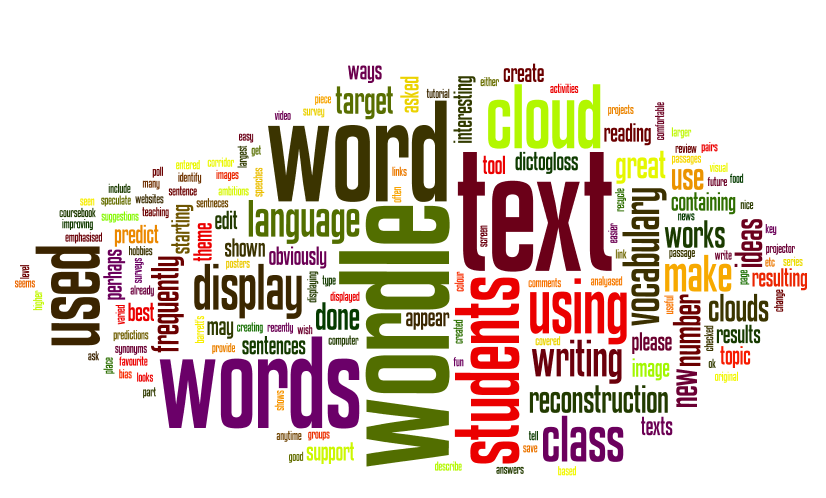
Wordle create a word cloud based on a list of words you provide the programme. This is a great way for students to generate a list of word related to a unit or topic. Students can also create a word cloud for a given piece of text to see what the most prominent words are in it. 

Available from: http://www.wordle.net/

QR Code Generator 

QR Code Generator generates a QR code for any digital resource. These QR codes can be used in class as part of a scavenger hunt, instructions for an activity or even on the back of a book to create an audio book. 


Thursday, 4 February 2016

A Coach's Dream: Teachers Willing to Try Anything

Even though I'm no longer a classroom teacher, I still get excited about trying new things in a classroom and seeing if they work or not. As a classroom teacher, I was always looking for resources online that could fit into my units to try with my class and just throw them out to my students to trials. The sense of uncertainty of how the lesson would go with this new tool or strategy made teaching interesting. For if the lesson went well, it usually went really well with the kids getting excited about whatever we were trying to use and the learning was enhanced to another level. If it didn't work, it meant either problem solving to make it work or finding an alternative on the fly to rework the lesson.

In a role as a technology coach, I often come across neat ideas that are worth giving a go but without a class of my own, I have to be okay with some teachers not wanting to take the same risks in their classes. So when I find a teacher that is always ready to try something, it makes me excited about the opportunity to work with that teacher and class.

This week has had a few of those moments. First of all, the education technology department led a professional development session on Monday about different tools for integrating videos into teaching and learning including screencasting, iMovie, YouTube and EdPuzzle. By the following day, a few of the teachers had already taken what they had learnt and integrated it into their lessons. As a coach, it makes these sessions meaningful  and worthwhile when teachers can actually see the practical use of the tools and are willing to try them out. Beyond that, it's important they share with us their feedback about how it went so we can help support them more or celebrate their successes.

Guinea pig teachers are rockstars in my mind. I went to one teacher this week with Plickers - a formative assessment tool for teachers using iPads and the cards students use to respond to a question. The students hold up an assigned card in one of 4 directions with the multiple choice letter they agree with and the teacher uses the iPad to scan for the results. The app allows teachers to gain feedback on individual student knowledge and data on the whole class' understanding immediately.

I simply explained to the teacher what it would do and asked if she was interested and we installed the application on the iPad right away. I made the cards for her and by the next day she had set it up and was ready to try. I was also grateful to be invited in to see how it would work in the classroom. With a minor issue that was quickly problem solved, we gathered data on students' understandings of problem solving and action in a matter of seconds. This data is so useful as a teacher as a formative tool but could also be used as preassessment or an exit activity from a class. From there, we shared our learning and experience with the teachers in the year group and got them started on it as well. Great things really do spread.

Not all teachers are willing to be technology enthusiasms as innovators or early adopters but I absolutely love working with these staff members. These teachers help me get excited about my job and the positive impact technology can make on teaching and learning for students.
 

Saturday, 21 November 2015

Digital Native Or Immigrant? Focus on Growth Mindset Instead

Evolution involves adapting to a surrounding to survive over time. In the education profession, it is similar as a teacher in a digital age. According to Marc Prensky (2001), digital immigrants are individuals who have not grown up in a digital age and have needed to adapt and adopt the new 'language' of technology'. Digital Natives are individuals who have grown up using technology. We can't expect the educational world to regress back to times without technology so it is up to both the 'digital immigrant' and 'digital native' to continue to evolve with their environment by embracing education with technology integration.

For me, I believe those labels don't belong. Rather I believe the focus should be more on growth mindset and the willingness to learn. No student or educator will ever know all there is when it comes to technology. It is important to have a growth mindset rather than a fixed mixed as an approach to learning.I felt like the labels are less relevant if we think more about a willingness to be a risk taker to learn and use technology when appropriate.


Image from: http://carriekepple.com/wp-content/uploads/2015/04/Growth-v-Fixed.jpg
A growth mindset as an educator allows you to be open-minded to new ideas and concepts. Educators with a growth mindset enjoy trying to challenge their thinking and push boundaries beyond their current knowledge. An educator with a growth mindset continues to problem solve with resiliency until they are able to come to a suitable solution. 'Not possible' is not the answer, rather an opportunity to try something new.

I believe it is more important to have a willingness to use and explore technology rather than whether or not you grew up using technology as a 'digital native'. When we stop worrying about failing or looking silly for trying, we can allow ourselves the ability to explore a technology to understand it and find deeper and more meaningful uses of it within our classrooms.
Image from: https://chrishildrew.files.wordpress.com/2014/03/fixedgrowth-copy.jpg


Prensky, M. (2001). Digital natives, digital immigrants part 1. On the Horizon, 9(5), p. 1-6. http://dx.doi.org/10.1108/10748120110424816

When To Use Technology in the Classroom

Some days as a teacher you may use technology in almost all components of your classes, then other days not even touch it. When is too much? When is not enough? In my mind, why are we even asking these questions? If we focus on what is important, then those questions become irrelevant.

In my role as an education technology coach, my role is to support teachers in integrating technology into the classroom. Many would think I would advocate for getting more technology into the classroom but more doesn't mean better.

I always chuckle when I have a teacher that comes to asking for an opinion on an activity that they want to use technology with and I suggest a non-technology approach. To me, using technology should only be done when it makes sense, when it enhances the learning experience for our students and is authentic. We shouldn't force the use of technology in our classes just because we have it.

There are definitely many benefits of being able to use technology in the classroom - access to information, connecting with others, supporting individual needs, motivation, etc. But the most important aspect of teaching should always remain the teaching and learning for student growth.

When I was a homeroom classroom teacher, I always loved assigning a final project with no limit on how it was presented. In doing so, it allowed the students to express themselves using the tools and resources they felt comfortable with. The final products were of higher quality and more diverse. Whether it was a bulletin board, a dramatic presentation, an online presentation of slides, video, art piece, or handwritten essay, the important thing was that the student felt they had ownership in how they chose to demonstrate their learning journey.

If we stop asking when is too much and not enough use of technology and start asking does it make sense to use technology for this learning experience, the technology integration will be more meaningful. In doing so, we are then able to provide our students with just another set of skills to add to their toolkit that they can draw upon when it is most appropriate.

Citizenship in a Digital Age


Digital literacy is about helping our students develop the skills and behaviours to be successful in a digital age. This includes supporting our students in how to find, access, and use information they find online, communicating through various digital medias, collaborating with others and making smart decisions while using technology that demonstrates being a good citizen.

As technology becomes more accessible to the masses, digital tools provide educators and students with an unlimited amount of resources and access to information. Students need to be able to not only access the internet but be critically analyze what they discover, the source of information and its validity.

With Web 2.0, the user experience has gone from just consuming digital content to engaging and interacting with it. The ability to connect and collaborate with someone from across the globe has become easy with the various social media platforms. Through this, students can connect with experts to raise the quality of their work by getting information from the source. In doing so, students need to be aware of how their online communication really should not be that different from their offline communication. Respect, kindness and common sense should continue no matter if you blur the lines of communication to a virtual platform.

Above all, we must continue to educate our students with how to be a good citizen with how to be a good digital citizen simply as an extension of citizenship. Our students should understand that the choices they make online will remain present for all to see in the future. The pictures they post give insight into the type of person they are and their identity that extends offline. As they continue to build their online relationships, they must think about how this impacts their lives on a greater scale.

Perhaps calling referring to as 'digital citizenship' is too narrowing. Being a good person is being a good person. Rather, we are educating our students of how to be a good citizen in an increasingly more digitalized world. As we educate our students for an unknown tomorrow, we must provide them with the appropriate skills and behaviours that allow them to be successful in a digital age - not only online but in every day life as well.

Image from: https://www.iste.org/explore/articledetail?articleid=192